Best Project Management Software for Small Teams
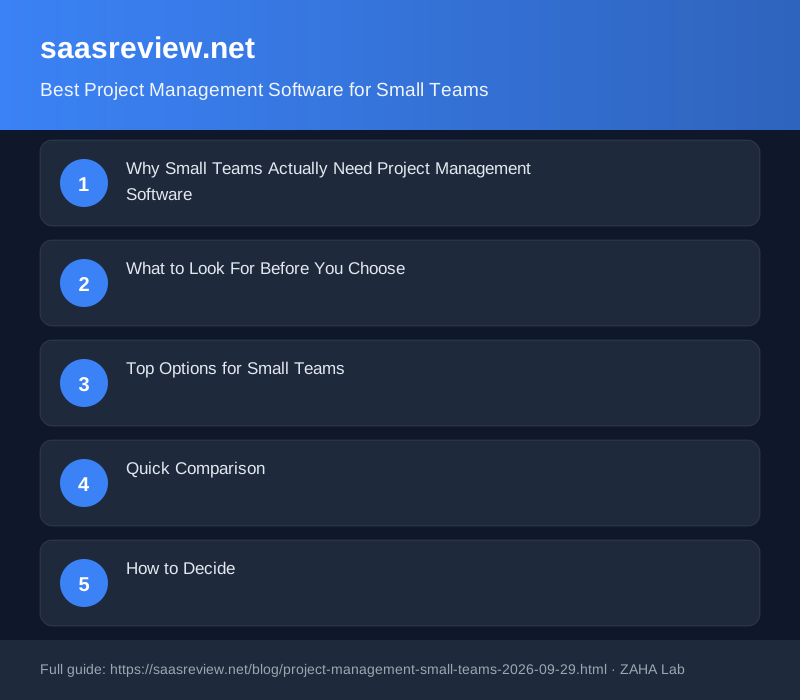
Small teams lose hours to scattered information, unclear ownership of tasks, and deadlines that slip unnoticed. The right project management tool cuts this waste. For 2026, the best options deliver simplicity without sacrificing the features that actually prevent breakdowns.
Project management software tracks task ownership, deadlines, and progress in one place. The best platforms for small teams cost under $15 per person monthly, integrate with existing tools, and require minimal setup before your team sees value.
Why Small Teams Actually Need Project Management Software
At three people, verbal communication and shared documents work. At eight people, communication breaks down. Tasks get duplicated, deadlines are missed because one person didn't know about a dependency, and onboarding new hires takes weeks because institutional knowledge lives in email threads.
A project management tool solves this by making work visible to everyone, not just the person carrying it. It becomes the source of truth for what needs doing, who is doing it, and when it's due.
For small teams, the hard part isn't finding power. It's finding a tool that doesn't add overhead. You don't need customisable workflows, nested dependencies, or portfolio-level reporting. You need tasks, due dates, visibility, and integrations.
What to Look For Before You Choose
Core task management. Creating and assigning tasks should take 15 seconds or less. If the interface feels slow or unclear, your team will resist using it consistently.
Multiple views for different contexts. Some work fits a board layout. Some needs a timeline. Some just needs a simple list of what's due this week. Platforms that support at least two view types let your team choose what works for their thinking.
Integration without manual work. If you're copying information from your project tool into Slack or Google Drive by hand, the tool is broken. Look for native integrations with tools your team already uses daily.
Per-seat pricing that doesn't scale to madness. Many platforms charge $10-$20 per person per month. At a team of six, that's $60-$120 monthly. At twelve, it's double. Know the pricing at your likely future size before committing.
Reasonable onboarding curve. If learning the tool takes longer than getting work done, adoption fails. Small teams should be productive within a day, not a month.
Top Options for Small Teams
Asana
Asana balances structure with flexibility. You can use it as a simple task list, a Kanban board, a Gantt timeline, or a calendar view. This flexibility means one tool can serve different team members' preferences without forcing rigid process.
The free tier covers up to 15 people indefinitely. Paid plans start at $10 per person per month. For a small team doing lightweight project work, the free tier might be enough for years.
Asana integrates with Slack, Google Drive, Microsoft Teams, Jira, Zapier, and dozens of other tools. Documentation is thorough. The learning curve is shallow.
Best for teams that: Value flexibility, need integrations, don't want to configure complex workflows, and want to start free and scale up only when necessary.
Monday.com
Monday.com emphasises visual workflow automation. The interface uses columns and cards, similar to Trello, but adds timeline views, workflow automation, and integrations. If your work involves handoffs or approval chains, Monday.com's automation reduces manual toil.
No free tier, but pricing starts at $9 per seat per month when billed annually. The platform is lighter weight than Asana, which appeals to teams that want something leaner.
Automation is the real selling point: automatically update status when a date passes, send notifications on due dates, move cards based on custom conditions. For teams where someone currently spends time on status updates, this saves real hours each week.
Best for teams that: Run creative work with approvals, need workflow automation to eliminate busywork, or prefer a visual board interface to lists and timelines.
ClickUp
ClickUp positions itself as an all-in-one workspace combining projects, docs, chat, goals, and time tracking. The benefit is reducing tool fatigue: instead of jumping between five tools, everything is in one place. The downside is a steeper learning curve because there's more to the product.
The free tier is limited but usable. Paid plans start at $5 per person per month, making it affordable at scale. If your team adopts the full suite (documents, goals, time tracking), the cost-per-value can be excellent.
ClickUp works best when you embrace the entire ecosystem. Using only the task management piece is like buying a full suite and ignoring most of it.
Best for teams that: Want one platform replacing multiple tools, are comfortable with setup and configuration, and plan to use docs and goal tracking alongside projects.
Notion
Notion functions as a blank canvas. It includes database blocks that can function as project management, but you're building your system from scratch rather than adopting a pre-built one. This is powerful for teams with unusual workflows, frustrating for teams that just want something ready to use.
Notion's free tier is genuinely generous. Paid plans start at $10 per person per month. Many small teams stay on the free tier forever because they don't hit the page or seat limits.
Notion excels when combined with templates. If you use a community project management template or hire someone to build a custom system, Notion becomes flexible and powerful. Without templates, setup takes weeks.
Best for teams that: Want to build their own system and are willing to spend time setting it up, have unique workflows that don't fit standard tools, or plan to use Notion as a company wiki alongside projects.
Quick Comparison
| Tool | Free Tier | Starting Price | Primary Strength |
|---|---|---|---|
| Asana | Up to 15 users | $10/person/mo | Flexibility across view types |
| Monday.com | None | $9/person/mo | Workflow automation |
| ClickUp | Limited features | $5/person/mo | All-in-one workspace |
| Notion | Full features | $10/person/mo | Customisation and flexibility |
How to Decide
Start by asking: what problem are you actually solving? If the issue is "we don't know what everyone is working on," Asana's visibility across views solves it immediately. If the issue is "we spend too much time in status meetings," Monday.com's automation is the answer. If the issue is "we're juggling five tools," ClickUp consolidates. If your workflow is nonstandard, Notion's flexibility is worth the setup investment.
The second question: how much setup tolerance does your team have? Asana is productive the same day. Notion requires a week minimum. Monday.com is somewhere in between.
Third: what's your budget ceiling? Notion's free tier is genuinely unlimited. Asana's free tier supports 15 users for free forever. Monday.com has no free tier. ClickUp's free tier is limited but functional.
FAQ
Can I use a simple spreadsheet or Trello instead?
For teams under five people with straightforward work, Trello or even a shared spreadsheet works. At six or more people, informal systems start collapsing because there's no consistency. A proper project management tool prevents knowledge loss when someone leaves and makes onboarding faster.
What if my team is across multiple time zones?
All four tools handle async communication well. Asana and Notion excel because they support detailed work descriptions and comment threads. Emphasise updating status independently rather than relying on meetings to sync everyone.
How long does it take to migrate from one platform to another?
Export and re-entry typically takes one to two weeks depending on project volume. Asana and Monday.com both provide export tools. Notion is less portable. This is a reason to choose carefully rather than expecting easy switching later.
Which tool is easiest for non-technical team members?
Asana and Monday.com have the flattest learning curves for non-technical users. Both feel intuitive because they use familiar card and list metaphors. Notion and ClickUp require more comfort with configuration and setup.
Do these platforms handle dependencies between tasks?
Asana handles dependencies well with timeline views showing blocking relationships. Monday.com supports dependencies but doesn't visualise them as clearly. Notion requires manual setup to track dependencies. ClickUp supports dependencies across projects. If you have work with complex interdependencies, Asana is the strongest choice.